26.7 Release
Option for Automatic Sorting of Pocket Cards
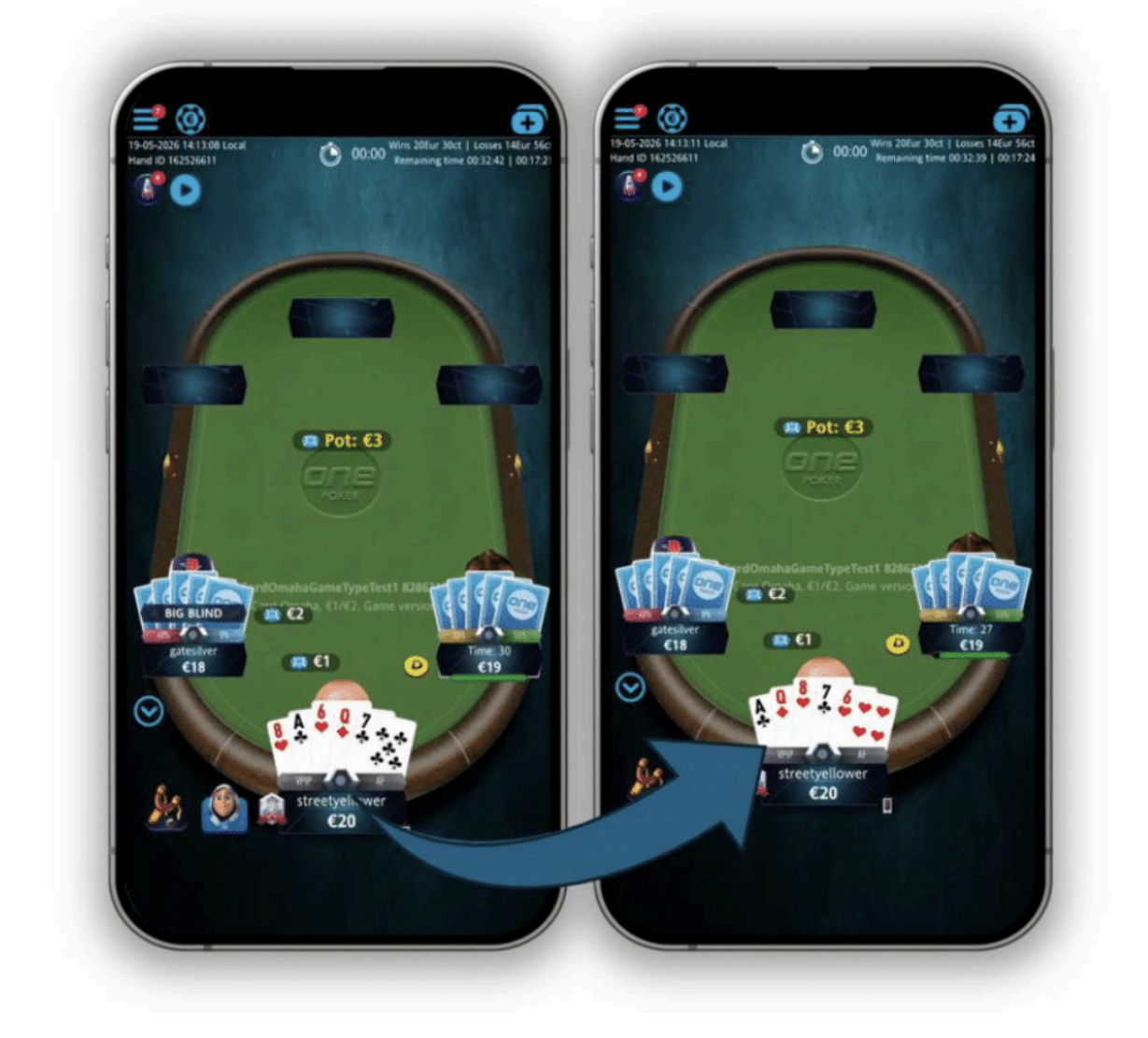
This release introduces an option for automatic sorting of your pocket cards in Hold'em and Omaha games, available in the client settings.
When enabled, your pocket cards are sorted from highest to lowest rank. Cards of the same rank are sorted by suit: Spades, Hearts, Diamonds, and Clubs. When disabled, your cards are shown in the order they are dealt.
Changes take effect at the beginning of the next hand or when you reopen the table. Automatic sorting is available across all Poker clients, including Hand History, Hand History Replayer, MTT Broadcasting, and Final Table Replay.
 |
Addition of New Player Avatars
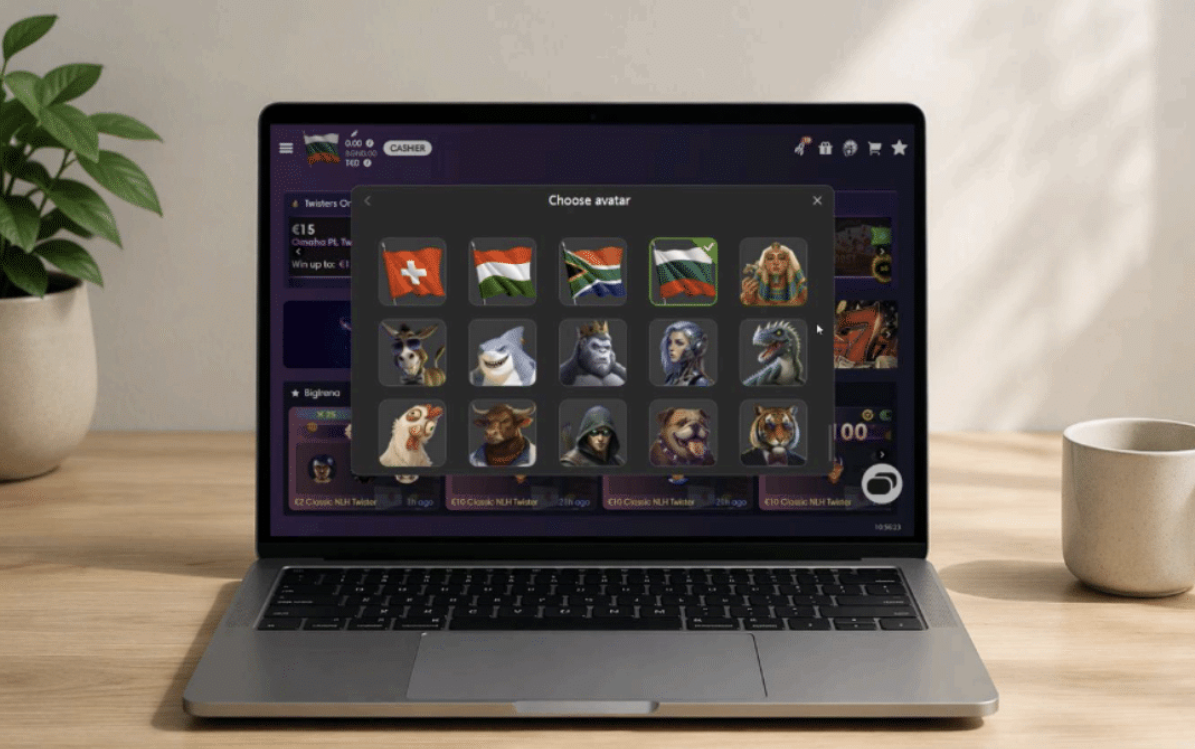
This release adds 16 new player avatars to enhance your experience. You can access them from the Avatars section of the client settings. Selecting an avatar applies it instantly.
The new avatars are available across all Poker clients.
 |
New Prize Pool and Starting Time MTT Filters
This release introduces two new filters for multi-table tournaments (MTTs): Prize Pool and Starting Time.
• Prize Pool: Use the slider to select your desired prize pool range based on the tournaments available.
• Starting Time: Filter tournaments by Next 1 hour, Next 6 hours, Today, or a custom date range.
Both filters are enabled by default across all Poker clients, with no default values selected, so you can see all available tournaments.
Support of 6 Plus Hold'em Poker in Web Client
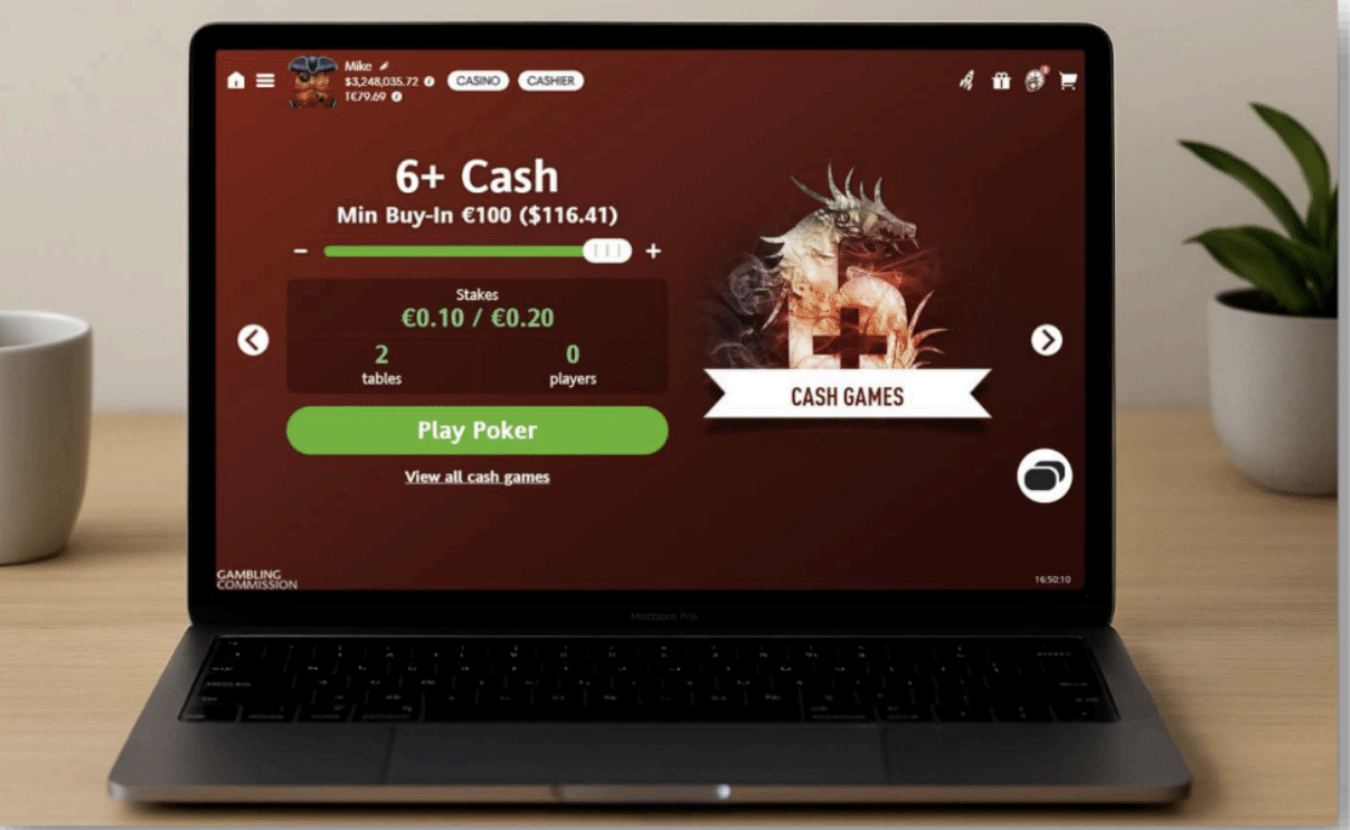
This release introduces support for 6 Plus Hold'em Poker in the Web client.
When a cash game or tournament lobby contains only 6 Plus Hold'em games, it features a dedicated tile and lobby design. Mixed game types use the standard lobby representation.
You can find 6 Plus Hold'em tournaments using the new filter on MTT screens. The game can also appear in the Recommended Games section and uses the standard 6 Plus table theme, with gameplay consistent across Poker clients.
 |
Displaying Player Notes in the Tables Section of the Tournament Lobby
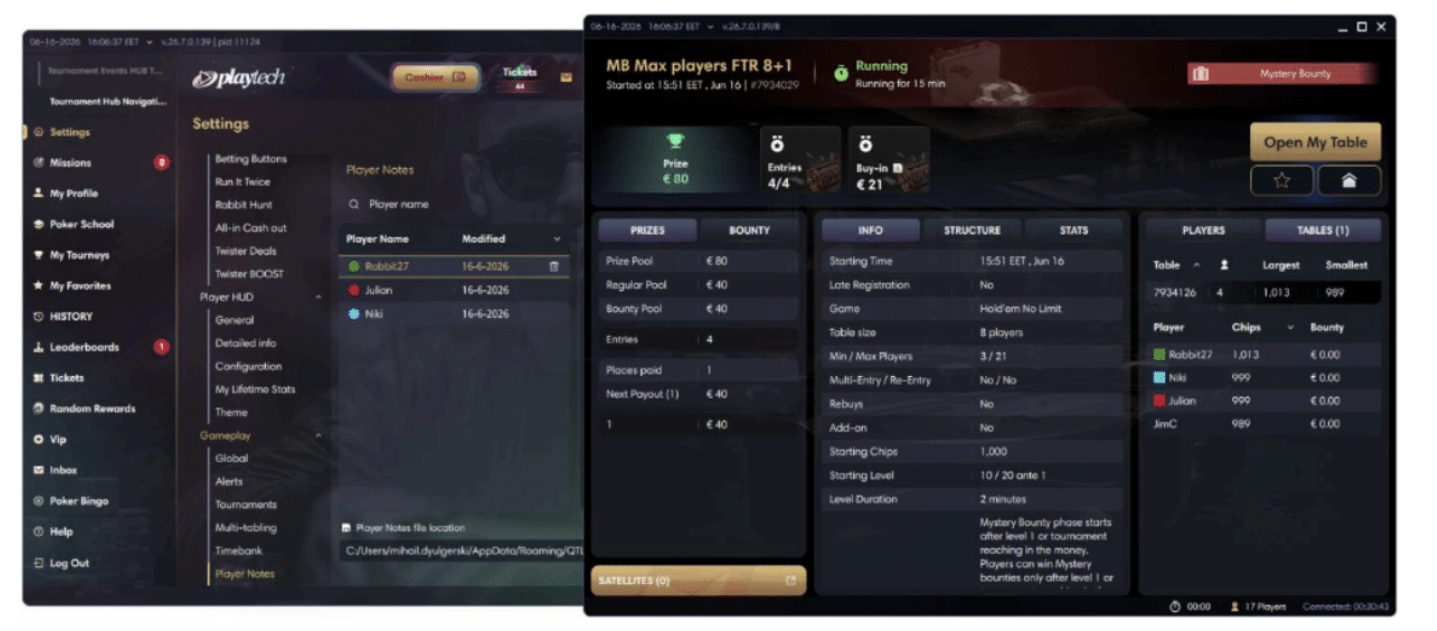
This release enhances the Tables section of tournament lobbies by displaying the colors of your player notes.
When you open the Tables section, you can see available tables, the players seated at them, and the note colors you have assigned to your opponents.
This improvement is available in the Download Desktop client.
 |